
🛠️ Configuration
Available Minigames
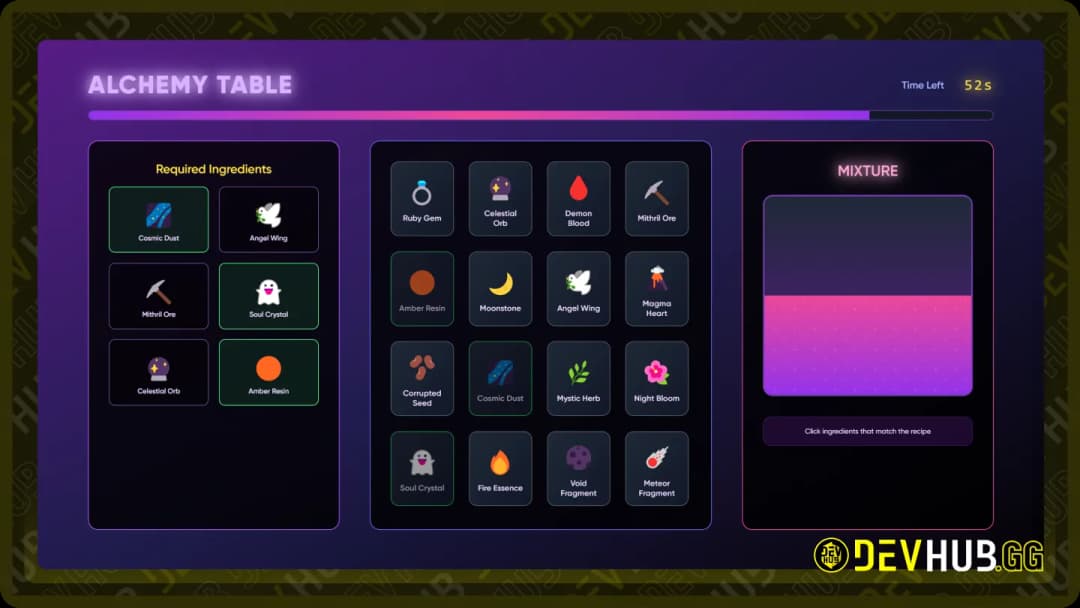
Alchemy Table
Game ID: alchemy
Lua
    ['alchemy'] = {
        settings = {
            ['regular'] = {
                timeLimit = 60,
                recipeLength = 8,
                ingredientCount = 16,
                ingredientLibrary = {
                    { id = 1, name = "Dragon Scale", icon = "🐉" },
                    { id = 2, name = "Phoenix Feather", icon = "🔥" },
                    { id = 3, name = "Moonstone", icon = "🌙" },
                    { id = 4, name = "Star Dust", icon = "✨" },
                    -- ect
                }
            },
        },
    },
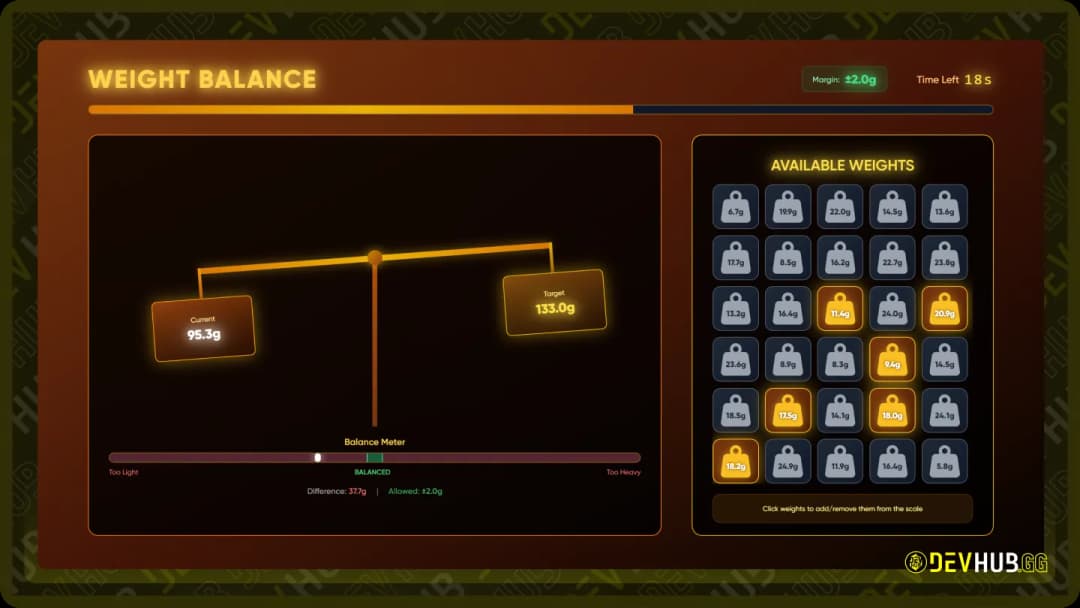
Weight Balance
Game ID: scale
Lua
    ['scale'] = {
        settings = {
            ['regular'] = {
                timeLimit = 30,
                marginOfError = 2,
                numWeights = 30,
                minWeight = 5,
                maxWeight = 25,
            },
        }
    },
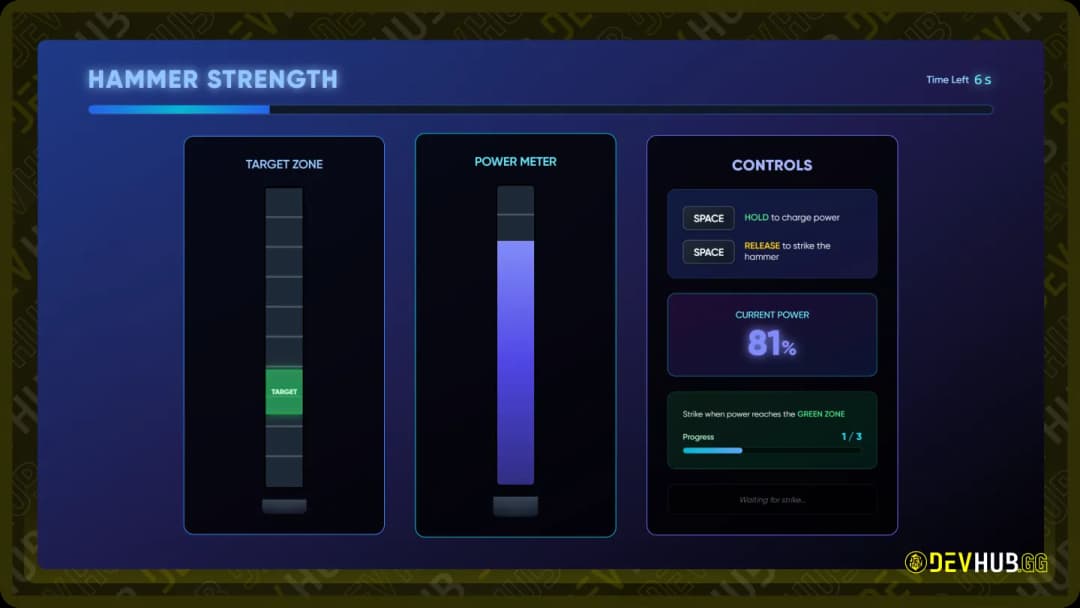
Hammer Strength
Game ID: hammer
Lua
    ['hammer'] = {
        settings = {
            ['regular'] = {
                timeLimit = 30,
                chargeSpeed = 50,
                hitZoneSize = 15,
                hitZoneStart = 40,
                requiredHits = 3,
                cooldownDuration = 2,
            },
        }
    },
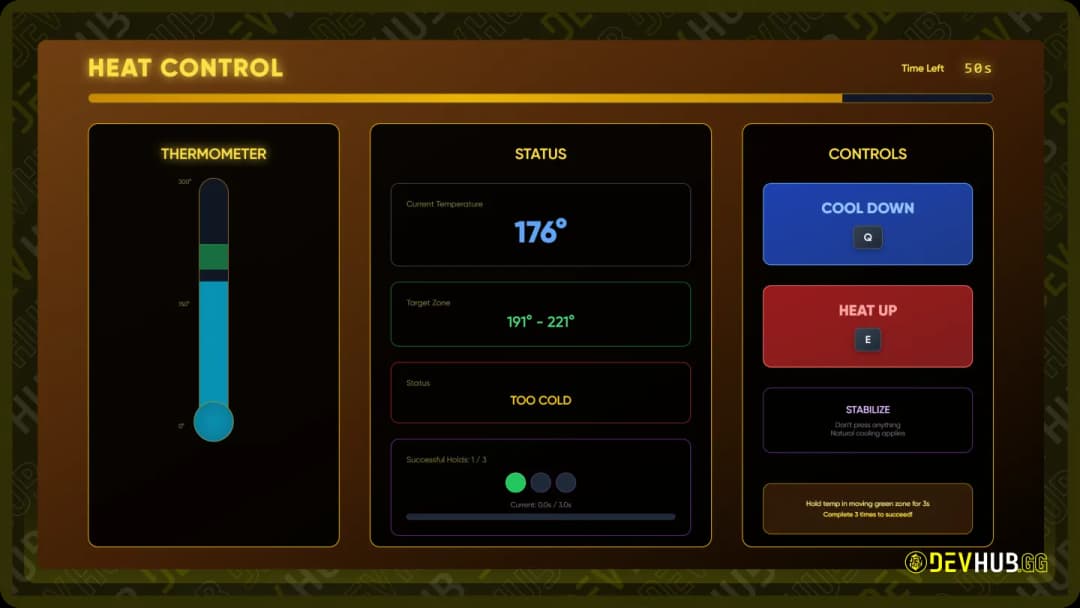
Bruteforce Minigame
Game ID: heat
Lua
    ['heat'] = {
        settings = {
            ['regular'] = {
                timeLimit = 60,
                targetMin = 160,
                targetMax = 190,
                requiredTime = 3,
                heatChangeRate = 12,
                naturalCooling = 3.5,
                minTemp = 0,
                maxTemp = 300,
                momentumFactor = 0.85,
                targetZoneSpeed = 8,
                heatSpikeChance = 0.15,
                heatSpikeAmount = 25,
                requiredSuccesses = 3,
            },
        }
    },
Command Configuration
Lua
Config.CommandEnabled = true- Description: Controls whether the test command for minigames is enabled or disabled.
- Default:
true - Usage: When enabled, allows the use of
/startCraftingMinigamecommand for testing purposes.
Command Usage
When Config.CommandEnabled is set to true, you can use the following command:
Lua
/startCraftingMinigame [minigame] [mode]Parameters:
- minigame: The type of minigame to start
- Available options:
circuit,enigma,morse,bruteforce,tuning
- Available options:
- mode: Settings mode from Config (default: regular)
Examples:
Lua
/startCraftingMinigame alchemy regular
/startCraftingMinigame scale hard
Export Function
Lua
local result = exports['devhub_craftingMinigames']:startMinigame(minigame, mode)- Description: Programmatically start a minigame from another resource.
- Parameters:
minigame(string): The minigame type to startmode(string): Settings mode
- Returns: Boolean indicating success or failure of the minigame
- Example Usage:
Lua
local success = exports['devhub_craftingMinigames']:startMinigame("scale", "regular")
if success then
    print("Player successfully completed the minigame!")
else
    print("Player failed the minigame.")
end
Integration
To integrate these minigames into your scripts:
- Integration Example:
Lua
local result = exports['devhub_craftingMinigames']:startMinigame("scale", "regular")
if result then
    -- Player succeeded
    -- Grant rewards, continue mission, etc.
else
    -- Player failed
    -- Handle failure, retry option, etc.
end
Sound Configuration
Path: html/config.js
Lua
window.config = {
    soundVolume: 0.5,
};- Description: Controls the volume level for minigame sound effects.
- Range: 0.0 to 1.0 (0% to 100%)
- Default: 0.5 (50%)