🐌 Download purchased assets
How to Download a Script Purchased via Keymaster
1
Go to Keymaster Login
2
Log in to your CFX.re Account
3
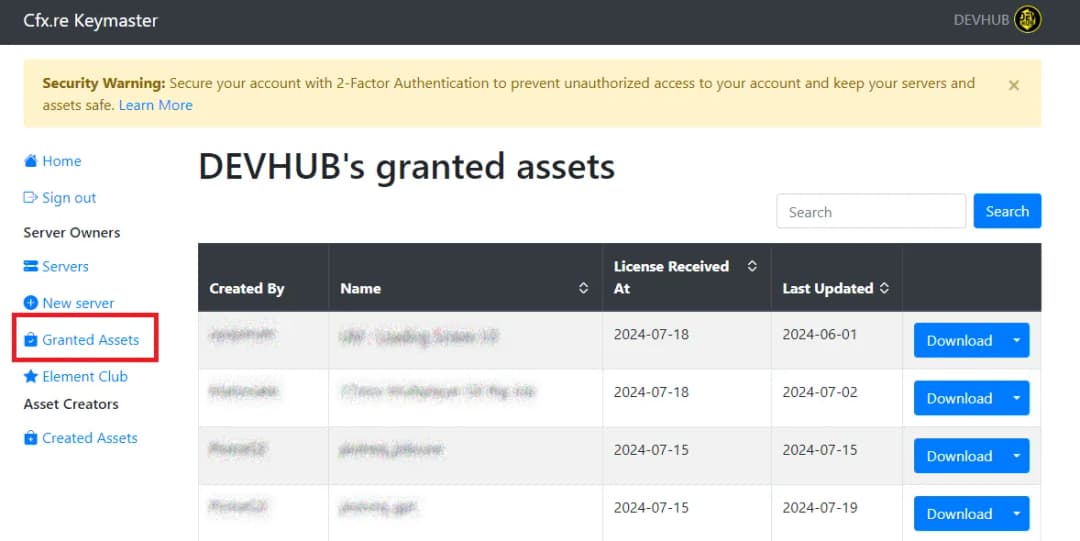
Navigate to Granted Assets
Menu on the left side.
4
Find your Purchased Script
5
Download the Script
Press the blue "Download" button to download the asset.
6
Install the Script on Your Server
- Follow the installation instructions provided in the script documentation.
- Ensure you follow any specific steps required for the FiveM escrow system if applicable.
7
Have fun ☺️